School leaders pathway
You are looking at Alto for a year group, key stage or whole school. Here is what that involves.
Set up your school and classes through Alto’s guided Setup Wizard. Paste your class lists straight from a spreadsheet and Alto creates the pupil accounts. No pupil email addresses, no lessons to build and no content to configure before pupils can begin.
Registering a school Coming soon
The Setup Wizard described on this page is built and working, but it is open to invited schools at the moment rather than to every school. If you are planning a rollout and would like to be told when it opens, write to support@alto.guru and we will let you know.
Open to any UK school today: the free Great Times Tables Race, across as many classes as you like.
What a multi-class rollout involves
The school uses the class information it already has. Alto guides you through setting up the accounts.
You can paste pupil lists straight from a spreadsheet, or type them in. Uploading a CSV file is coming soon
For each pupil, you will need a first name or nickname, plus a surname initial where two pupils would otherwise share a name. For each class, you will need:
- the class name
- the year group
You will also need your school name, and a main school contact, including their name and email address, for follow-up and support.
We do not need pupils’ full surnames or email addresses.
Once the information is entered, Alto creates the classes and pupil accounts. Login cards can then be printed and handed out so pupils can begin practising.
Teachers can get started without creating assignments or choosing a starting level for every pupil. Alto runs the practice automatically from there.
One thing to plan around
Whoever runs the Setup Wizard becomes the class teacher of every class they create. Adding a colleague to a class is being built, so for now a rollout across several classes is set up and overseen by one person. Coming soon
Worth knowing before you decide who runs the setup. Write to support@alto.guru if that affects how you were planning to organise it.
For year-group or whole-school rollouts, we can also help introduce Alto to the staff involved through a short video call.
If you are introducing Alto Maths, we recommend a short setup call to discuss how you intend to use it and which settings may be useful from the start.
How it goes
-
Decide where you want to start
One year group, a key stage, several classes or the whole school. Choose which Alto learning areas you would like your pupils to use.
-
Register your school
Follow the Setup Wizard. Find your school, accept the data processing agreement and nominate a main contact person.
-
Add your classes and pupils
Create each class with its name and year group, then paste your pupil lists from a spreadsheet or type them in. No pupil email addresses are needed.
-
Teachers get started
Print the login cards and hand them out. Teachers do not need to build sessions or set work before pupils begin: Alto selects appropriate practice for each pupil and adjusts it as they progress.
-
We check in after two weeks
Around two weeks after setup we invite the main school contact to book an optional 15-minute check-in: whether pupils are getting into the routine, what teachers are finding, and any useful adjustments while the rollout is still new.
What teachers need to learn
Very little before they begin.
Pupils sign in with the username and two secret words printed on their login card. Alto then selects appropriate practice and adjusts it as pupils progress.
Teachers do not need to:
- create pupil accounts individually
- collect pupil email addresses
- build daily sessions
- choose a starting level for every pupil
- mark Alto practice afterwards
Taking more control is being built. Teachers will be able to direct practice towards recently taught topics, revisit important earlier learning or strengthen the foundations pupils will need before starting a new topic, and Alto will go on personalising practice and bringing earlier learning back over time. Coming soon
The intention is that Alto fits around teaching rather than becoming another programme teachers have to administer.
What teachers can see
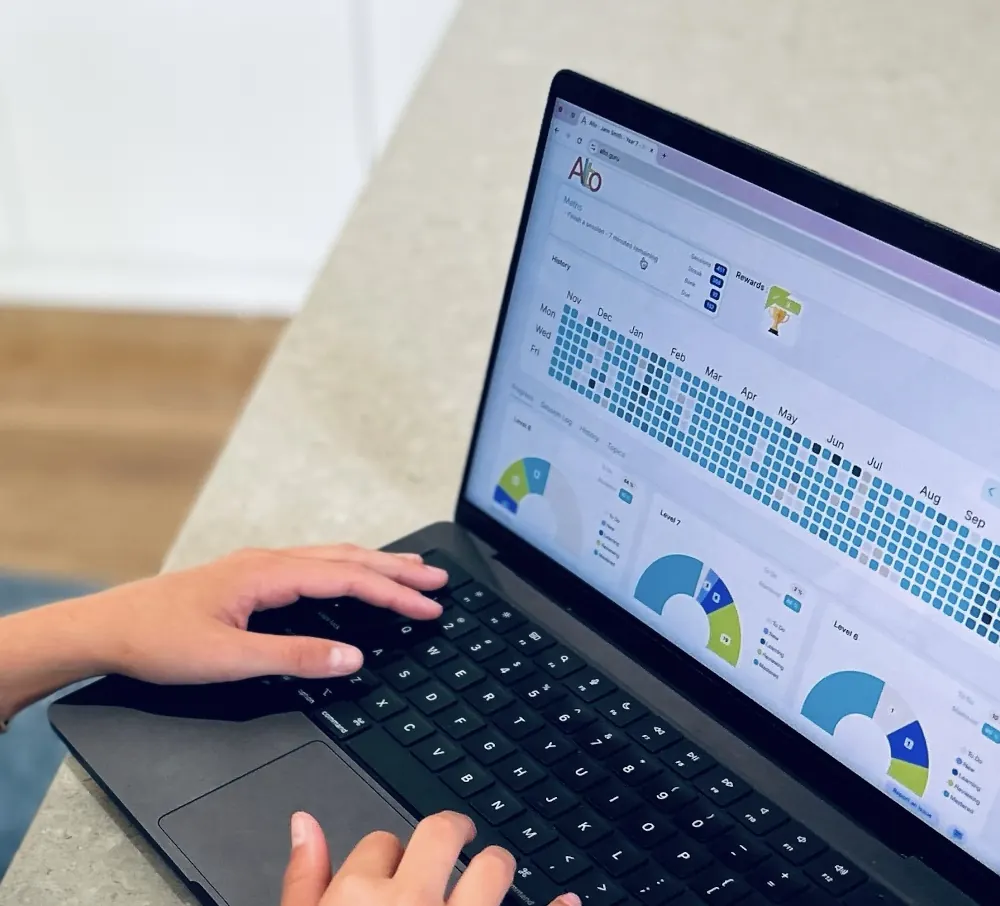
Each teacher has a class dashboard showing what is happening in their class. They can see:
- who has been practising
- what pupils have been working on
- where pupils are up to
- where someone may need more attention
The dashboard updates from the practice pupils are already doing. There is nothing for teachers to mark after each session.
What we aim to establish in the first few weeks
The first goal is not a promised jump in scores. It is to establish useful, regular practice.
Within the first few weeks, we want:
- pupils to know the Alto routine and be able to get started without fuss
- practice to be happening regularly enough to become part of the school week
- teachers to be able to let Alto run without planning every session
- teachers to know when and how to take more control if they want to
- the school to know whether the practice is actually happening
The two-week check-in gives us an early opportunity to identify anything getting in the way and make the rollout easier.
Access and cost
Times tables, number facts and spelling are free for UK schools. The Great Times Tables Race is also free.
Broader maths, mental maths strategies and grammar are available at a low annual price per pupil, with a whole-school cap so costs remain predictable as more pupils use Alto. Prices not agreed yet
Schools can start with the free learning areas without committing to a paid subscription.
All schools using Alto have access to the class dashboards and pupil progress information for the learning areas they use.
The school price and the whole-school cap are still being settled, so there is no figure to quote yet. If you are planning a budget and need an answer sooner, write to support@alto.guru.
What to give IT
Alto is browser-based, and schools create pupil accounts themselves through the Setup Wizard.
- Nothing needs to be installed on pupil devices
- No pupil email address is required
- Pupils sign in with an Alto username and two secret words
- Pupil data is hosted in the Netherlands, within the EEA
- There is no advertising in pupil practice
Have you done your Alto today?
Register your school Coming soon
The simplest way to start will be the Alto School Setup Wizard: enter your school details, create your classes and paste your class lists, and Alto creates the pupil accounts ready for teachers to begin.
If you are introducing Alto Maths across several classes, we also recommend a short setup call.
Have a question first?
You are very welcome to email us with questions, to arrange a call, or to ask to be told when registration opens.
Email us at support@alto.guru.
Quick answers
What will this cost the school?
Times tables, number facts and spelling are free for UK schools, along with the Great Times Tables Race.
Broader maths, mental maths strategies and grammar are available at a low annual price per pupil, with a whole-school cap. The figures are still being settled. See pricing, or write to support@alto.guru if you are planning a budget.
How quickly can we get started?
The Great Times Tables Race is open now, across as many classes as you like.
For the other learning areas, registering a school is open to invited schools at the moment. Once it opens to everyone, you set your own classes up through the Setup Wizard and pupils can begin as soon as the login cards are printed.
Do pupils need email addresses?
No. Each pupil gets an Alto username and two secret words on a printed login card. Pupil email addresses are not required.
Do teachers have to set work before pupils start?
No. Alto selects appropriate practice automatically, so teachers can start without creating assignments or choosing a starting point for every pupil.
Do you provide staff training?
Teachers do not need training to get started. For year-group or whole-school rollouts we can help introduce Alto to the staff involved through a short video call.
For schools introducing Alto Maths, we recommend a short setup call.
What happens after we start?
Around two weeks after setup we invite the main school contact to an optional 15-minute check-in.
We use it to see whether the practice routine is becoming established, answer questions from teachers and deal with anything that is getting in the way.
Do we need parental consent?
There is no separate Alto consent process for parents. Follow your school’s or education authority’s requirements for using third-party learning tools with pupils.
During setup, the school accepts Alto’s data processing agreement, which sets out what Alto does with pupil information.
Where is pupil data held?
Pupil data is hosted in the Netherlands, within the EEA. Alto does not require pupil email addresses and there is no advertising in pupil practice.
Can we speak to someone before registering?
Of course. Email us with any questions, or if you would like to arrange a call.
Questions? support@alto.guru